> ## Documentation Index
> Fetch the complete documentation index at: https://www.magicpatterns.com/docs/llms.txt
> Use this file to discover all available pages before exploring further.
# Agents and threads
> Hand work to the coordinator, follow parallel threads, and answer agents when they need you.
In MagicOS you talk to one coordinator. It answers quick questions itself, and for real work it starts threads, each with its own agent, so several pieces of work run at the same time.
## Threads
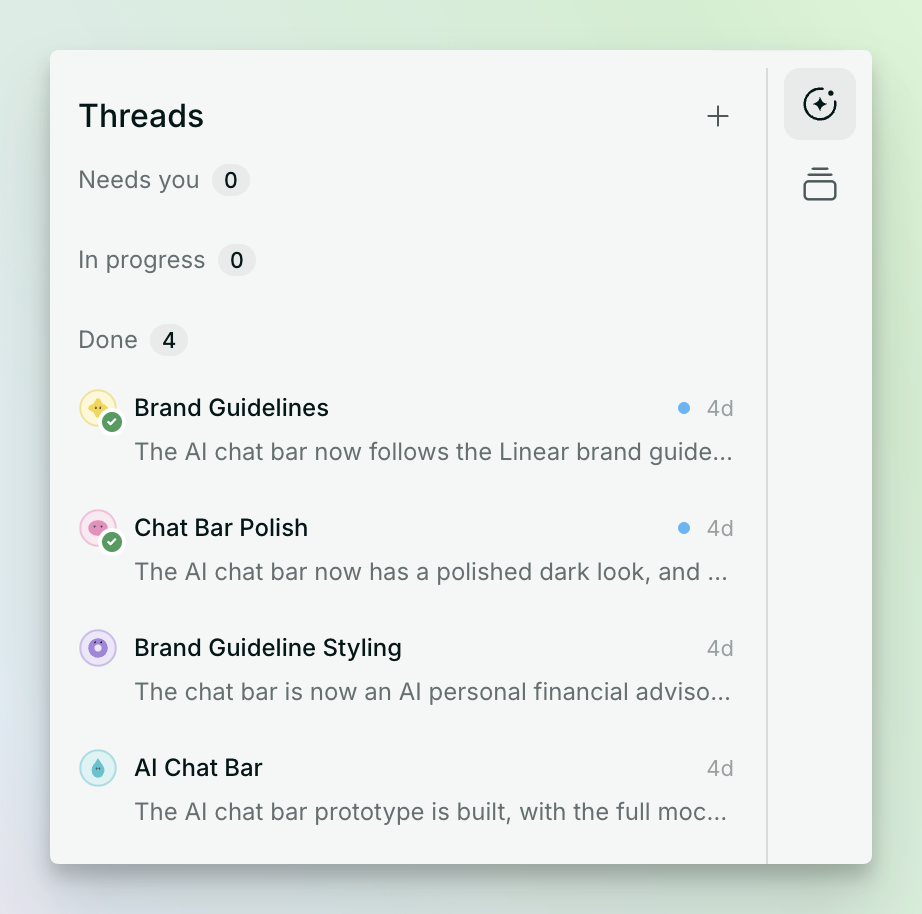
Every piece of work gets its own thread. Open the threads list from the sidebar to see them all:
| Status | What it means |
| - | - |
| **In progress** | An agent is working. |
| **Needs you** | The agent has a question, or finished something for you to review. |
| **Done** | The work is finished. |
The coordinator splits your work into as many parallel threads as it can. To push more through at once, start threads yourself with **New thread**. Each one gets its own agent, so manual threads run alongside the coordinator's. A thread can also start subthreads of its own when the work splits further.
 ## Steer a thread directly
Open a thread from the sidebar to read what its agent did. A reply inside the thread goes straight to that agent, and if it was waiting on a question it picks up where it stopped.
You can also just keep talking to the coordinator. Feedback such as "too much padding" or "we already use Stripe" gets passed to the threads it affects, usually the one that did the work, since that agent already has the context.
## Talk instead of type
You can talk to the coordinator instead of typing. Your speech is transcribed live into the composer, so you can see what was heard before it turns into work. It's handy when you're reviewing designs on the canvas and want to react without switching to the keyboard.
## See what agents are doing
Agents show up on the canvas next to your teammates, and a file an agent is working on is marked while it works.
This documentation is built and hosted on [Mintlify](https://mintlify.com), a developer documentation platform.
## Steer a thread directly
Open a thread from the sidebar to read what its agent did. A reply inside the thread goes straight to that agent, and if it was waiting on a question it picks up where it stopped.
You can also just keep talking to the coordinator. Feedback such as "too much padding" or "we already use Stripe" gets passed to the threads it affects, usually the one that did the work, since that agent already has the context.
## Talk instead of type
You can talk to the coordinator instead of typing. Your speech is transcribed live into the composer, so you can see what was heard before it turns into work. It's handy when you're reviewing designs on the canvas and want to react without switching to the keyboard.
## See what agents are doing
Agents show up on the canvas next to your teammates, and a file an agent is working on is marked while it works.
This documentation is built and hosted on [Mintlify](https://mintlify.com), a developer documentation platform.