.svg)
Claude Design vs Magic Patterns: Which AI Design Tool is Right for You?
May 11, 2026 • Kevin Chen
Claude Design and Magic Patterns both turn prompts into UI. The difference is what happens next: versioning, multiplayer review, design system fidelity, and a clean handoff to engineering.
This post breaks down where the two tools split across the product workflow and why product teams pick Magic Patterns.
Feature Comparison: Side by Side
What Designers Are Saying
Designers and PMs are comparing the AI design tools side by side. Here's what they're finding.
Review of a few AI design tools:
- @claudeai design: Solid, "get stuff done" tool. Design system first is a good direction. Ironically, for a design tool, the canvas experience is surprisingly clunky.
- @magicpatterns: Surprisingly underrated, rarely see it mentioned. Product...— Ahmed Attia (@ahmedattia)
April 2026
@ahmedattia is right about @magicpatterns. Structured product work beats pretty chaos every time. I care less about wow factor and more about whether the tool helps me ship cleaner UI faster.
— adri (@adriwtm)
April 2026
Built for the Whole Team
Claude Design today is single-player. Magic Patterns has real-time editing, comments, and shareable reviews, so the whole team can weigh in on the design without leaving the tool.
Live Multiplayer: Edit Together in Real Time
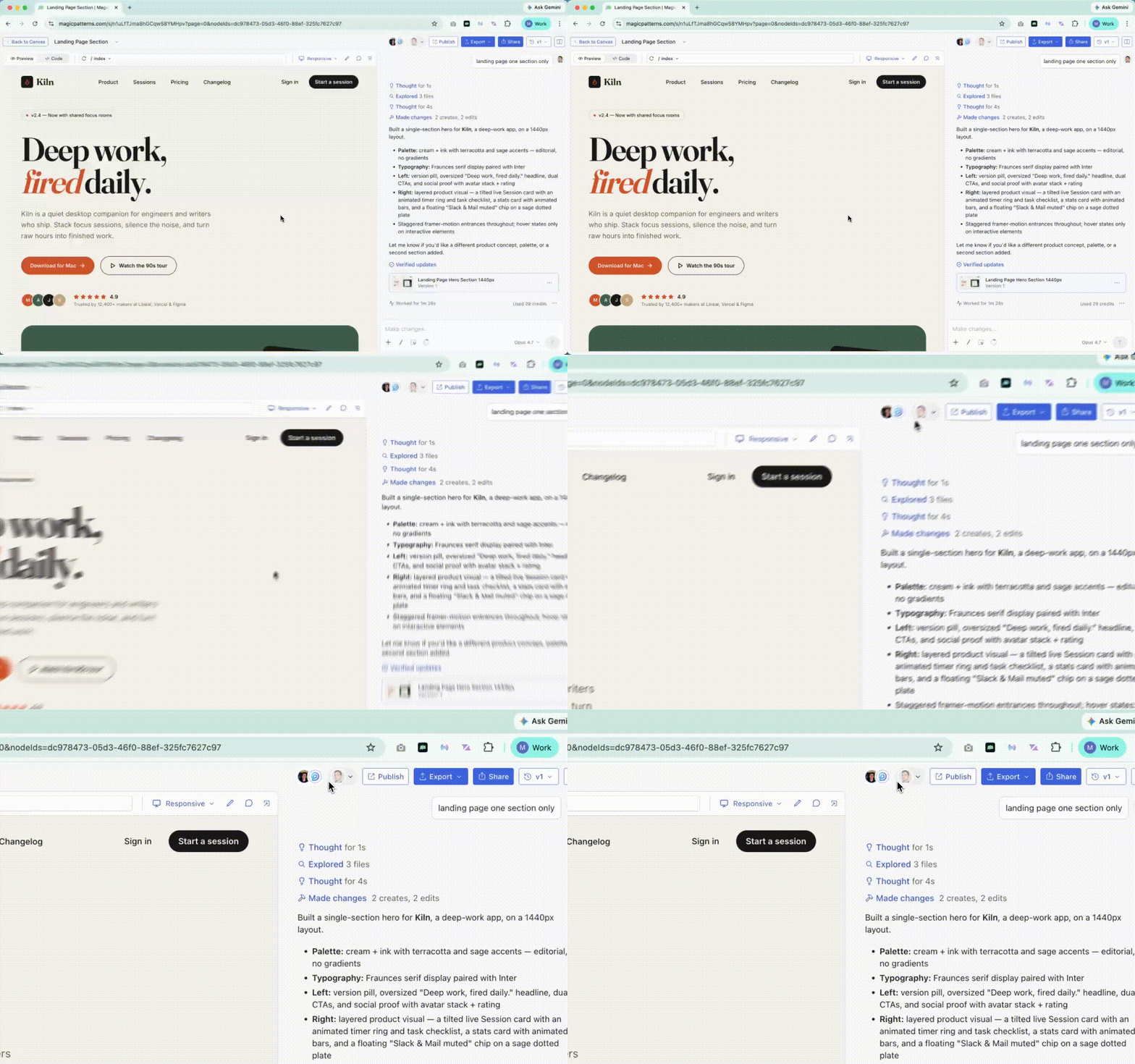
Magic Patterns is multiplayer everywhere, much like Figma. When teammates open the same design, you all see who's around, watch live cursors on the Canvas, and the page updates for everyone as either of you (or the agent) makes changes. Async or sync, the team works in one room.
Inline Comments: Feedback Right on the Design
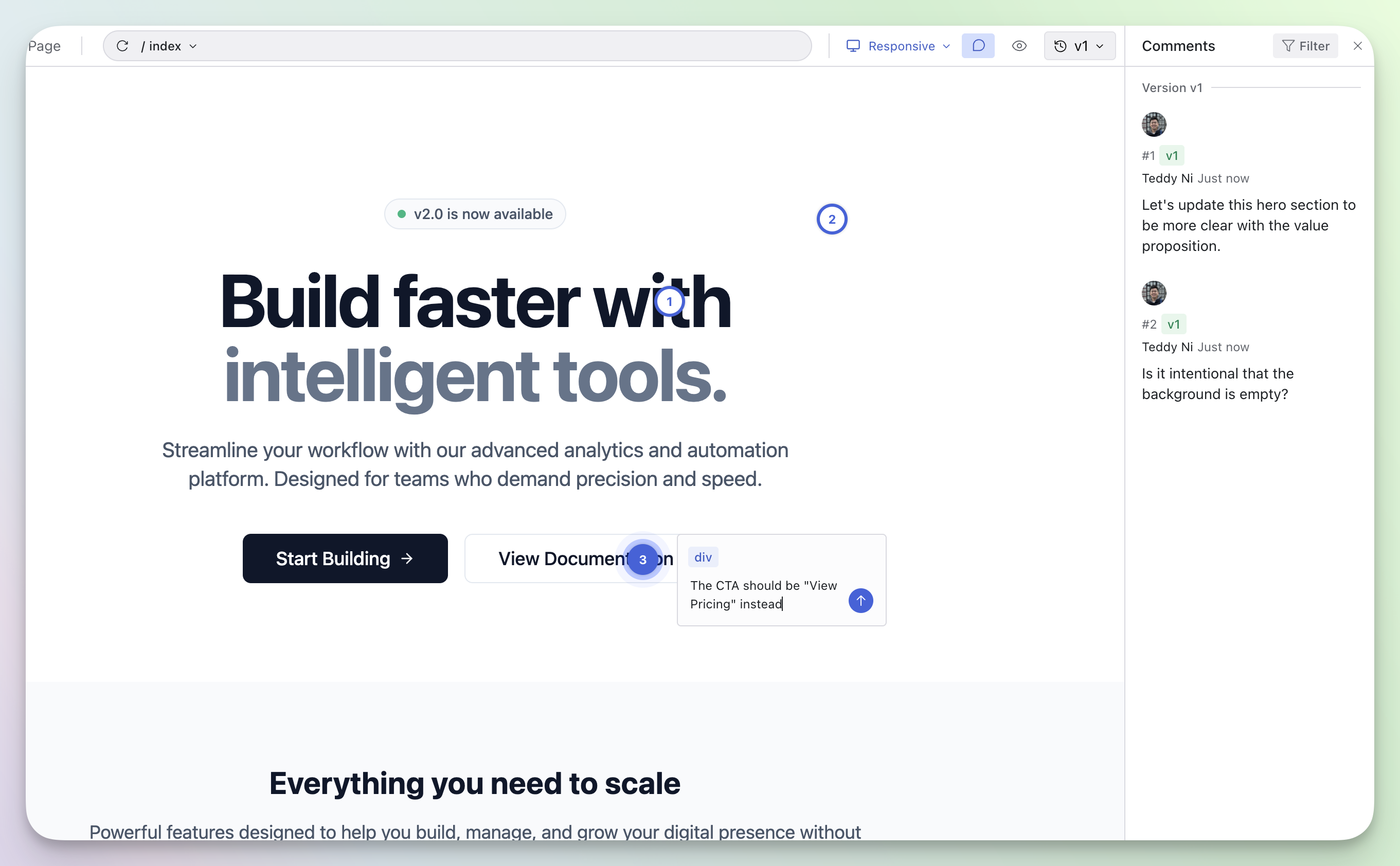
Stakeholders click on a specific element and leave a comment anchored to it. Comments stay tied to the element even as the design grows or rearranges, so feedback is unambiguous. Async design reviews without long meetings, version-aware so you can see which iteration each comment was made on.
Stakeholder Reviews: Share with Anyone, Securely
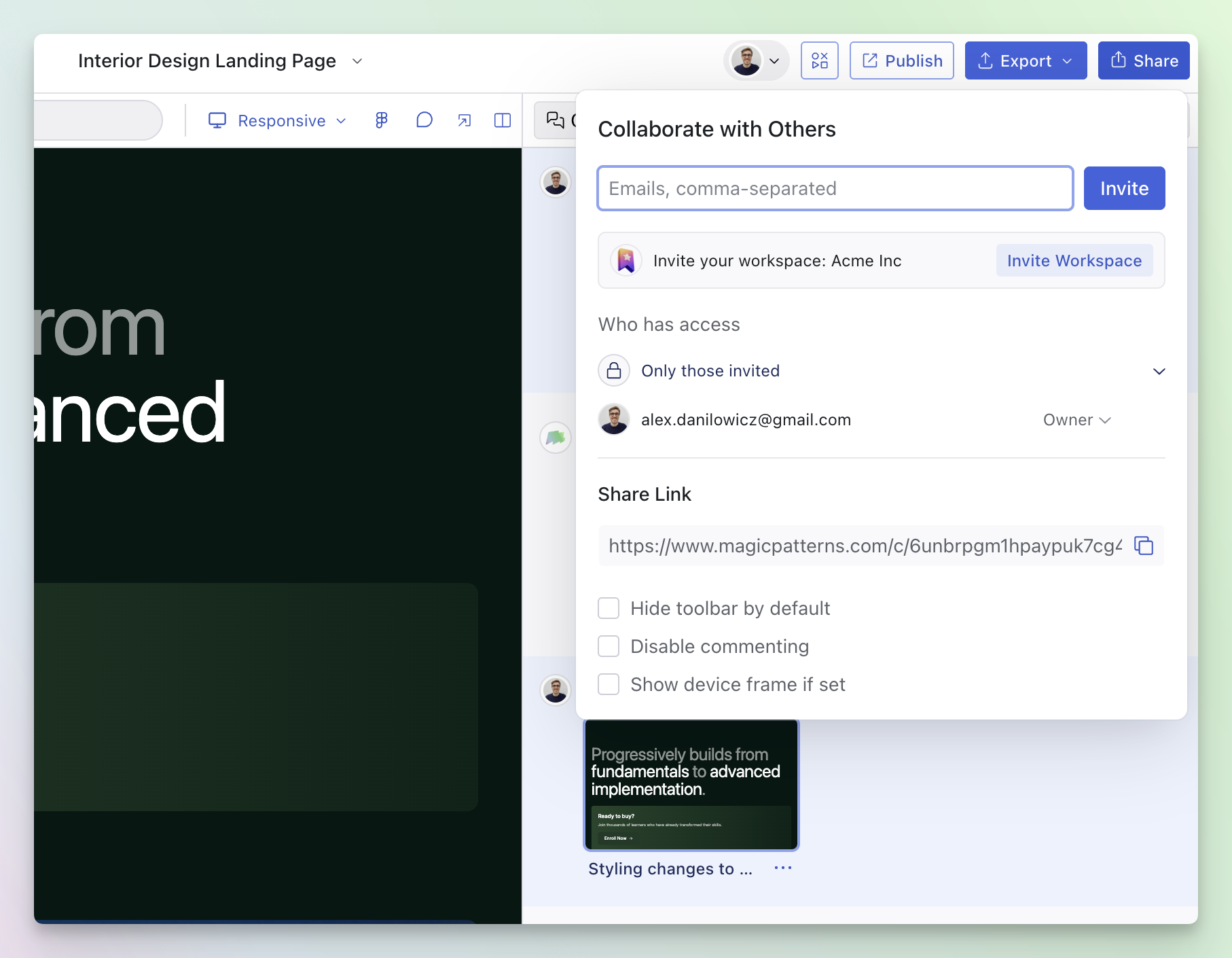
Send a shareable preview link to anyone, lock it with a password, or host the review on your own custom domain. Reviewers can leave inline comments without needing a Magic Patterns account, useful for quick stakeholder checks and full client reviews alike. Learn more about sharing.
Built Around the Product Workflow
From the first prompt to the final handoff, five places where Magic Patterns and Claude Design split and why product teams pick Magic Patterns.
3+ Years of Feedback from Product Teams
Claude Design launched in research preview in April 2026. Magic Patterns has had three years of feedback from product teams, and it shows up in the toolset: Figma import, design system support, MCP for engineering handoff, password-protected previews, and custom domains for stakeholder reviews. Each one came from a customer asking for it.
Structured React, Not HTML
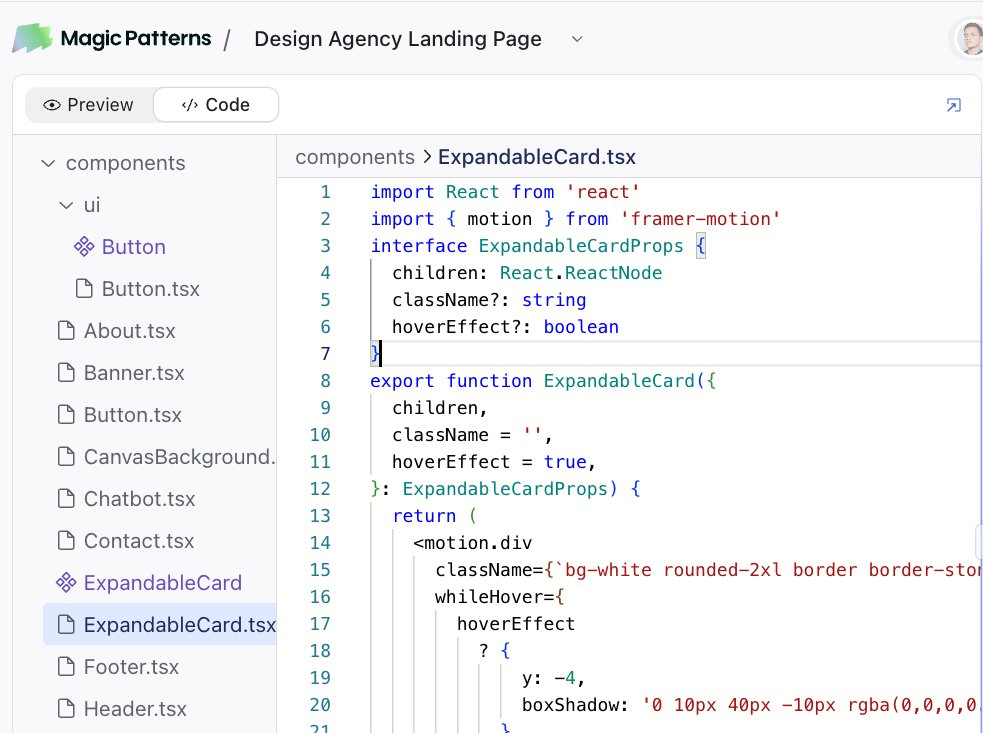
Claude Design generates HTML you can preview. Magic Patterns outputs structured React apps with components, props, and reusable patterns that hold up as iteration grows. The biggest project on the platform has over 2,100 versions on a single design, and the codebase still hangs together.
Built to Refine, Not Regenerate
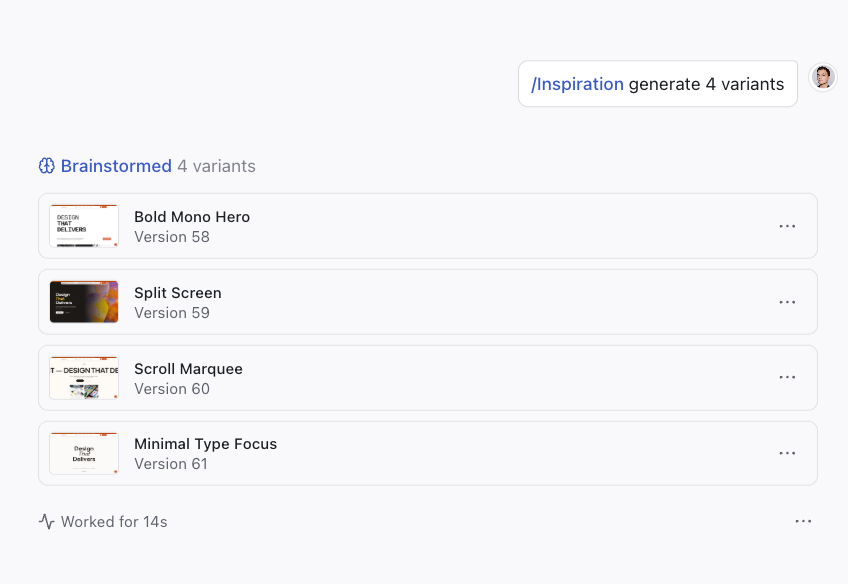
Versioning is built into every generation in Magic Patterns: branch a design, compare versions, or roll back when an iteration doesn't land. Commands like /Inspiration and /Discuss let you explore ideas as a conversation. Claude Design today doesn't include native versioning, so every prompt is a fresh attempt.
Pick the Model That Fits the Task
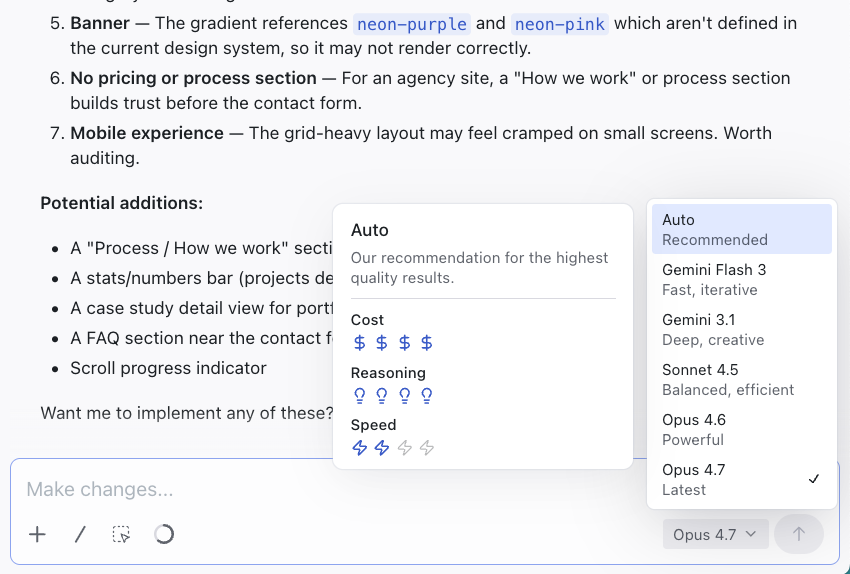
Claude Design runs on Anthropic models only, tied to one provider's roadmap. Magic Patterns is model-agnostic: choose between Anthropic, Gemini, and OpenAI for every generation, switch when a new frontier model drops, or run the same prompt through different models to compare. You decide what powers your designs.
Works with Claude Code, Cursor, and Figma
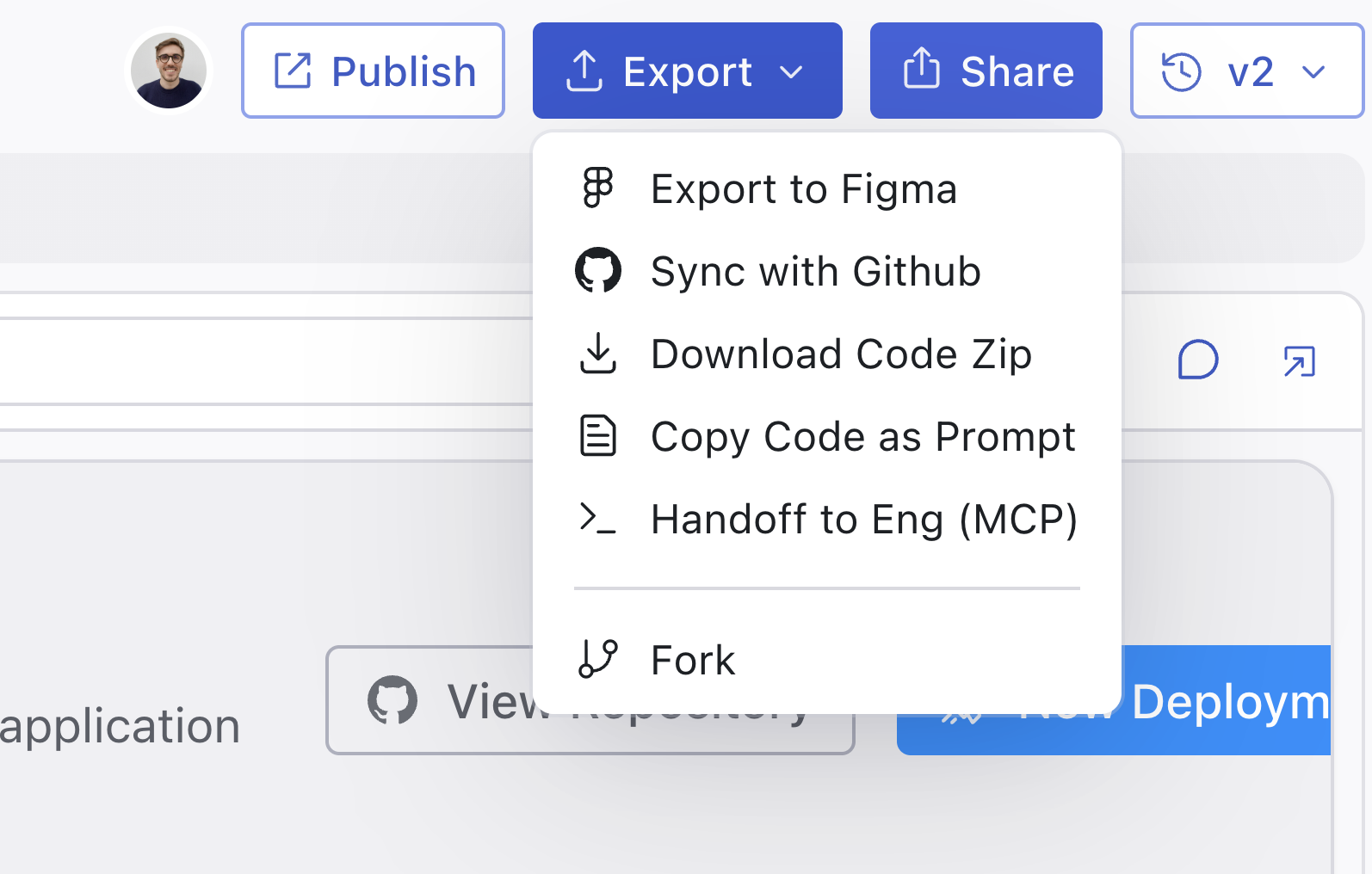
Claude Design's handoff goes to Claude Code, inside Anthropic's ecosystem. Magic Patterns isn't an island: engineers connect Claude Code or Cursor through the MCP server and pick up the design as code, and designers can send work back to Figma when they need the canvas. The tool fits into your stack instead of asking you to leave it.
Why Product Teams Pick Magic Patterns
Both Claude Design and Magic Patterns generate UI from prompts. Magic Patterns is built for what happens next: iterate, review with the team, and hand off to engineering. The whole product workflow lives in one place.
Frequently Asked Questions
Is Magic Patterns a Claude Design alternative?
Yes. Anything you can do in Claude Design, you can do in Magic Patterns. The differences are in iteration depth (versioning, Canvas, branching), output (structured React, not just HTML), and the breadth of integrations (Figma, Cursor, Claude Code, MCP, custom domains).
Which AI models does Magic Patterns support?
Magic Patterns is model-agnostic. Use Anthropic, Gemini, or OpenAI models, and pick the one that works best for the task at hand instead of being locked into a single provider.
Can I bring my design system?
Yes. Magic Patterns supports design system imports from Figma libraries, code, or tokens, so generations stay on-brand. Read more about how we approach design systems.
Does Magic Patterns hand off to Claude Code or Cursor?
Yes. Use the Magic Patterns MCP server to hand designs off to Claude Code, Cursor, or any MCP-compatible coding agent. You can also export to GitHub, copy code directly, or send back to Figma when designers need to keep iterating on the canvas.
How does versioning compare?
Versioning is core to Magic Patterns. Every generation is saved as a version, so you can branch, compare, and roll back as the design grows.
How does Magic Patterns compare to Figma Make?
Magic Patterns and Figma Make both turn prompts into UI, but Magic Patterns is model-agnostic and ships structured React output that hands off to Claude Code, Cursor, and Figma. Read the full Claude Design vs Figma Make comparison.
Is Magic Patterns enterprise-ready?
Yes. Magic Patterns is SOC 2 and ISO 27001 certified. Request compliance reports and security details via the Trust Center.
Can I try it for free?
Yes. Magic Patterns has a free tier so you can try it without a credit card. Paid plans include more credits, team features, and enterprise controls.
Build the best version of your product.