Once your design is published via a Custom Publish URL or your own Custom Domain, you can customize your website’s metadata (title, description, favicon, social preview images).

Getting Started

To access the Metadata section, you need to either:
  1. Publish your design with a Custom Publish URL (requires a paid plan), OR
  2. Connect your design to a Custom Domain (no paid plan required)

How to Update Metadata

1

Open the Publish panel

Click the Publish button at the top of the editor. Once your design is published or connected to a custom domain, you’ll see the Metadata section appear.
Metadata section in Publish panel
2

Edit your metadata

Click on the Metadata section to open the editor. Here you can customize the metadata, such as favicons and descriptions.Click Save after making your changes.
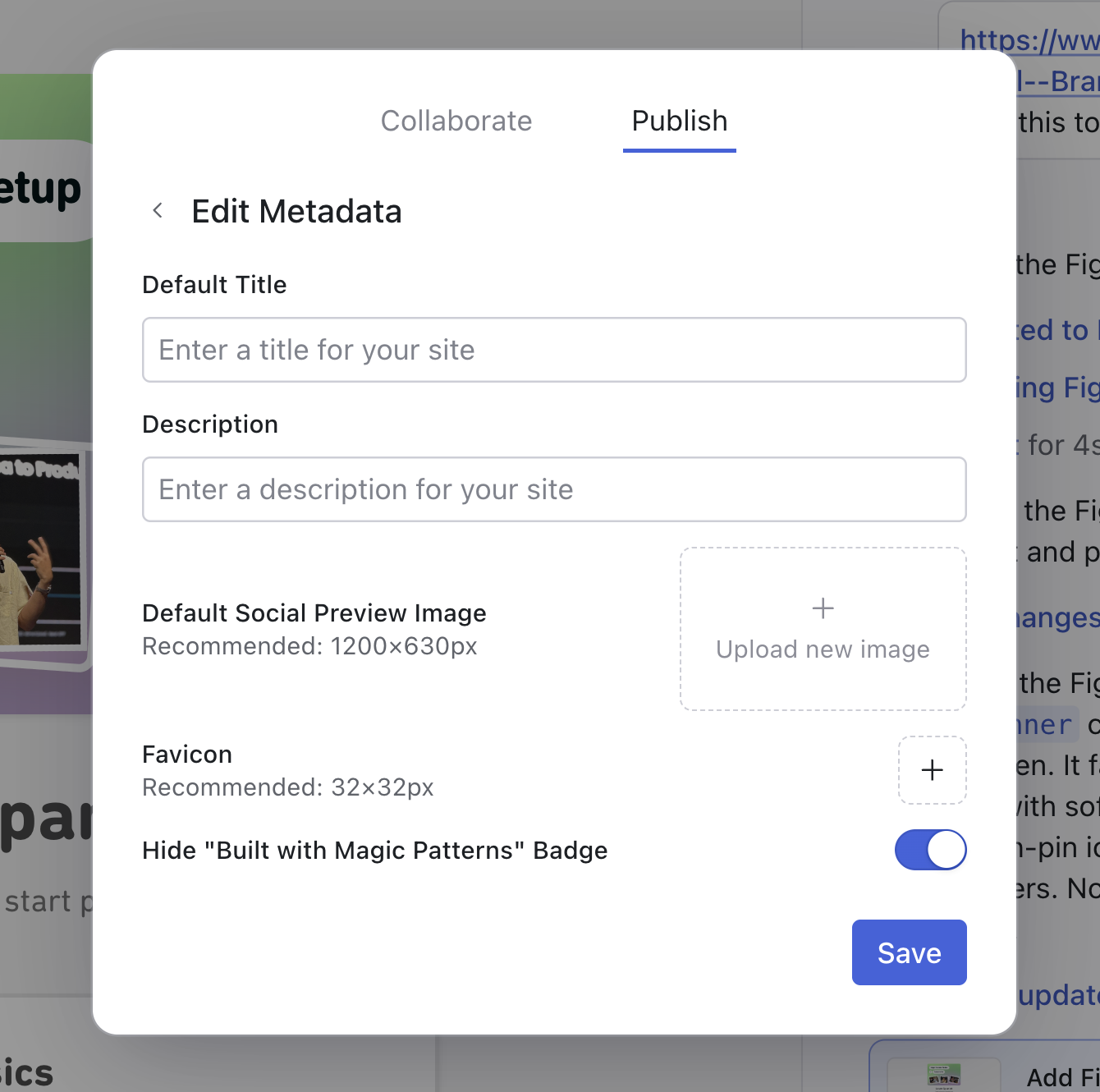

Editing website metadata
Hide the ‘Built with Magic Patterns’ badge on a paid plan. paid plan. Upgrade here to remove the badge from your published websites.
Built with Magic Patterns badge