

- Workspace on-demand usage: an admin turns it on for the whole workspace, and it’s billed to the workspace.
- Personal on-demand usage: a backup you turn on for yourself, billed to you. It’s only available when the workspace hasn’t turned on on-demand usage, so you’re not blocked waiting on your billing admin.
Workspace on-demand usage
Workspace on-demand usage is available on Starter, Business, and Enterprise. Extra credits are added to the workspace’s next invoice.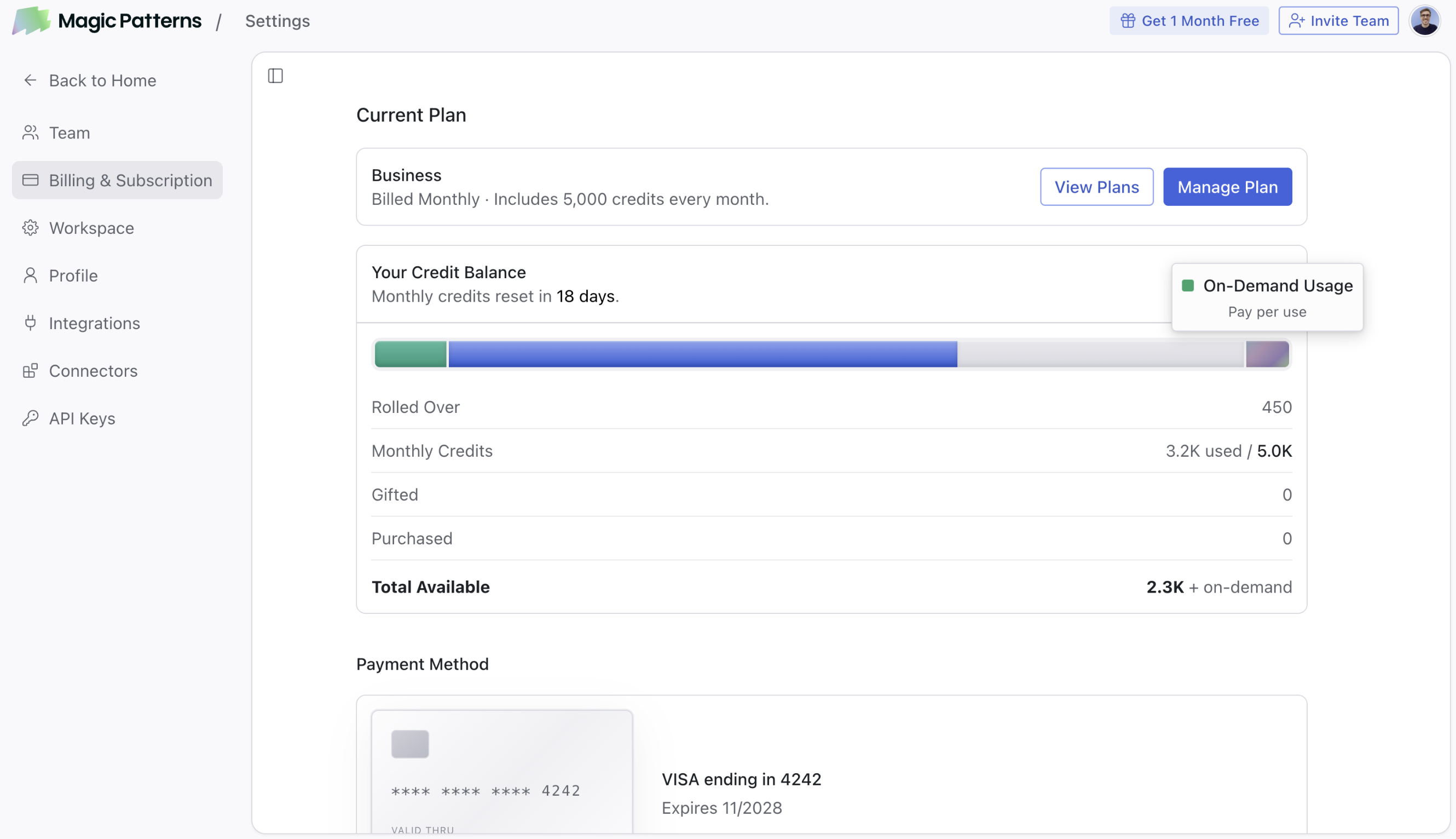 To turn it on, go to Subscription settings, click Manage Plan, and enable On-Demand Usage. You need a payment method on file first.
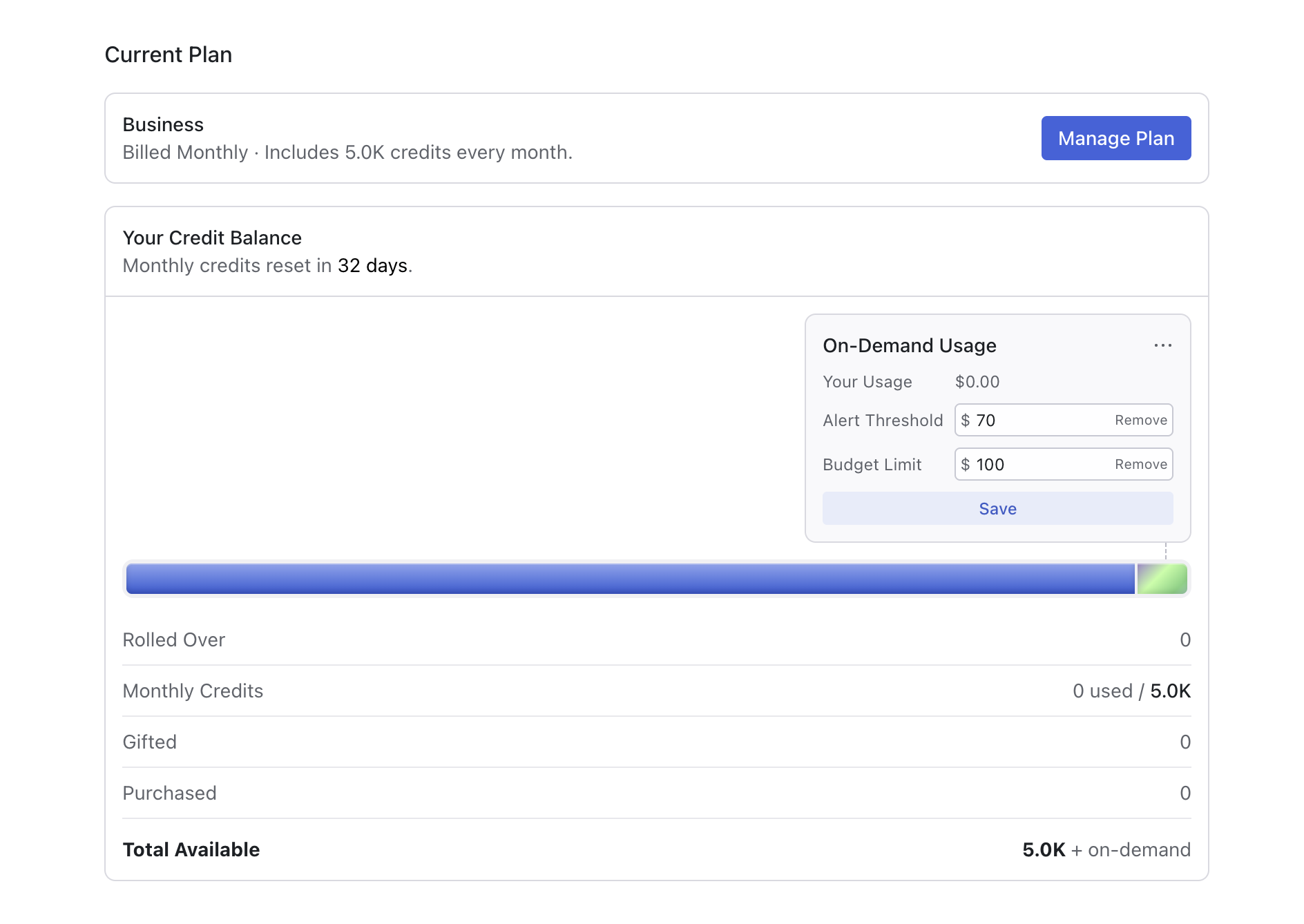
Set a budget
Once the pool runs out, anyone in the workspace can add on-demand usage to the workspace’s bill. A budget keeps that spend in check. It only applies to on-demand usage, not to the credits in your pool. Only admins can change it. In the same settings, you can set two limits on on-demand spending:- Alert threshold: a heads-up, not a cap. When on-demand spending passes it, a banner appears near the chat with a link to manage your budget, and your team can keep generating.
- Budget limit: a hard cap. When on-demand spending reaches it, the workspace’s on-demand usage stops until an admin raises the limit or your next billing cycle starts. Personal on-demand usage doesn’t take over when the budget limit is hit.
Personal on-demand usage
Personal on-demand usage is a backup for when the workspace can’t cover you. It kicks in only after the workspace’s credits and your individual user credit balance (e.g. monthly free credits) are used up, and only if the workspace hasn’t turned on on-demand usage. It’s billed to you, not the workspace. If an admin has turned on workspace on-demand usage, personal on-demand usage isn’t offered, even after the workspace hits its budget limit.Common questions
Can I use on-demand usage on the Free plan?
Can I use on-demand usage on the Free plan?
No. On-demand usage is available on Starter, Business, and Enterprise. See Subscription plans.
How do I unpause generation after hitting my budget limit?
How do I unpause generation after hitting my budget limit?
An admin can raise the budget limit in Subscription settings, or you can wait for the next billing cycle to start. Personal on-demand usage isn’t available while the workspace has on-demand usage turned on.
What's the difference between workspace and personal on-demand usage?
What's the difference between workspace and personal on-demand usage?
Workspace on-demand usage is turned on by an admin and billed to the workspace. Personal on-demand usage is a backup you turn on yourself, billed to you, and only available when the workspace hasn’t turned on on-demand usage.
How will I know when we're close to our budget?
How will I know when we're close to our budget?
When on-demand spending passes your alert threshold, a banner appears near the chat with a link to manage your budget. Your team can keep generating until you reach the budget limit.
Does setting a budget change my plan or credits?
Does setting a budget change my plan or credits?
No. A budget only controls how much on-demand usage your workspace can run up. It doesn’t change your plan, the credits in your pool, or what on-demand usage costs.